- Home
- Learning in public
- Sense-making notes
- Taking a Walk In Quinn's Mind
- Quinn Seeds
- What Happens When Learners Can’t Access the Information We Designed for Them?
Having understood Quinn Seed 1
“Make information for learners detectable so it can be perceived by the learner”,
Clark Quinn added an icing to the first quinn seed as it brought to light the thought about what happens when learners differ in their ability to access that sensory information.
And because of differences among humans, there will be limitations in vision, audition, and other senses.
In other words, there can be sensory gaps.

A sensory gap here refers to a barrier that prevents one or more learners from perceiving the information we intend them to perceive.
Each sensory channel can have its own gaps.
And how do we bridge those gaps?
Accessibility.
Accessibility, in this context, means designing so that people with disabilities are considered during the design process, not as an afterthought once the design and development are already complete.
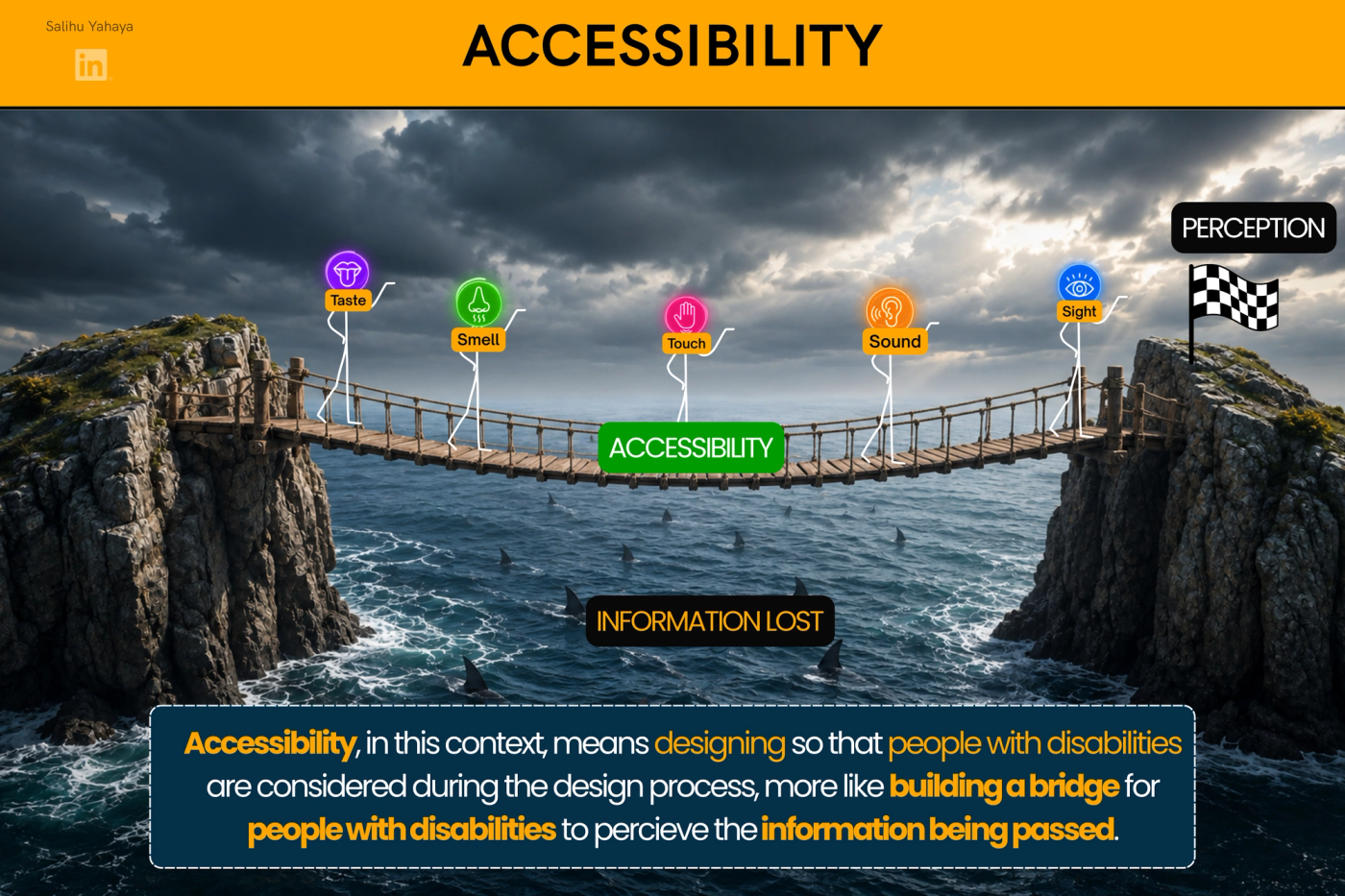
So, let’s build that bridge for the senses Clark Quinn discusses.
👁️ Sight
Clark Quinn mentions using other clues rather than colour alone so that important coding can still be perceived by people who are colour blind.
In other words:
Give the learner another way to recognize the same meaning.
Instead of using only colours like green to communicate a correct response or red to communicate and in correct response like shown below
🟢 Green = Correct 🔴 Red = Incorrect
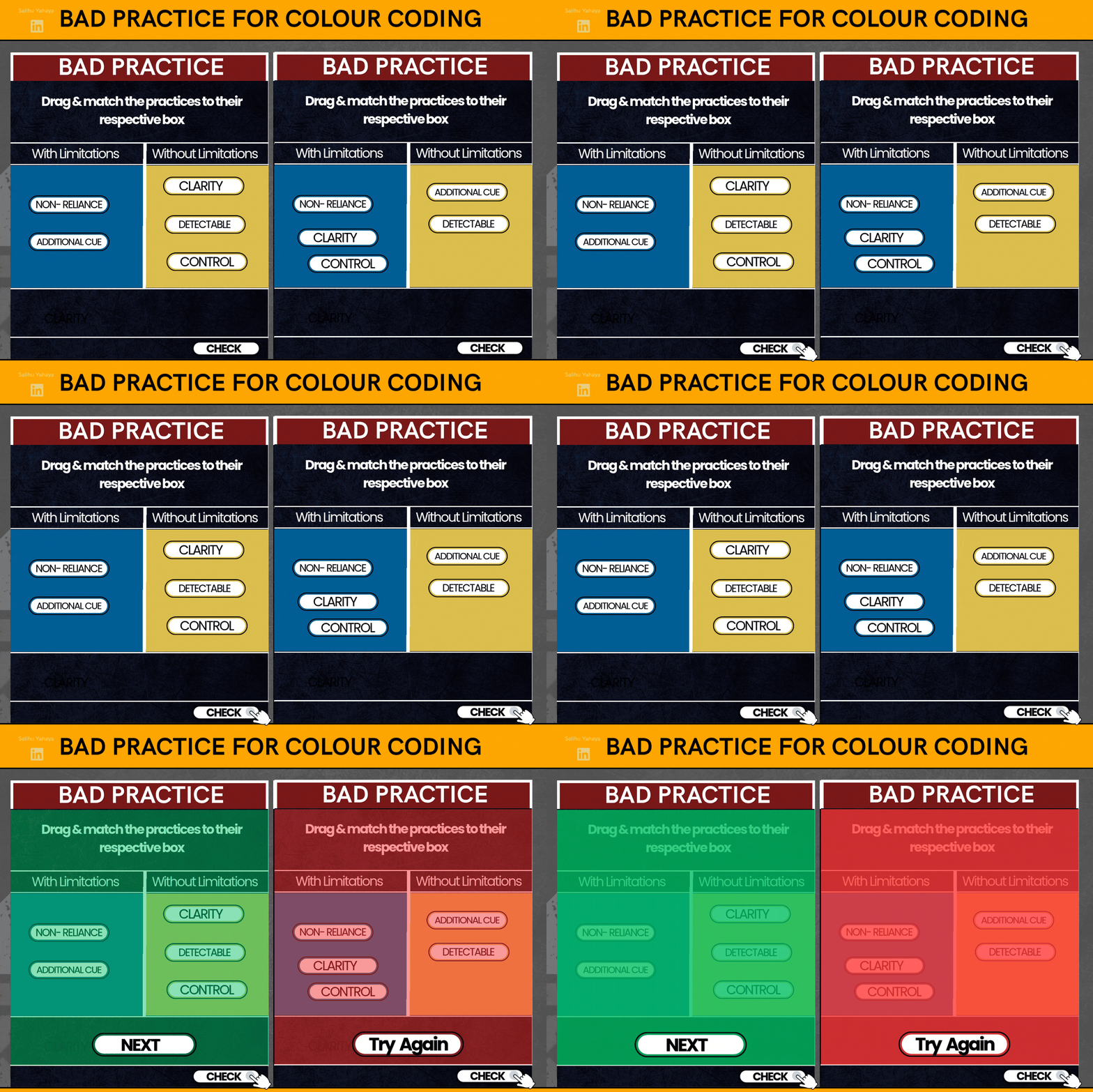
Instead the use of colour and a redundant cue like text, symbol, sound or even a combination of two or more like shown in the gif below will help fill in the gap for colour blind learners.
🟢 ✓ Green = Correct 🔴 ✕ Red = Incorrect
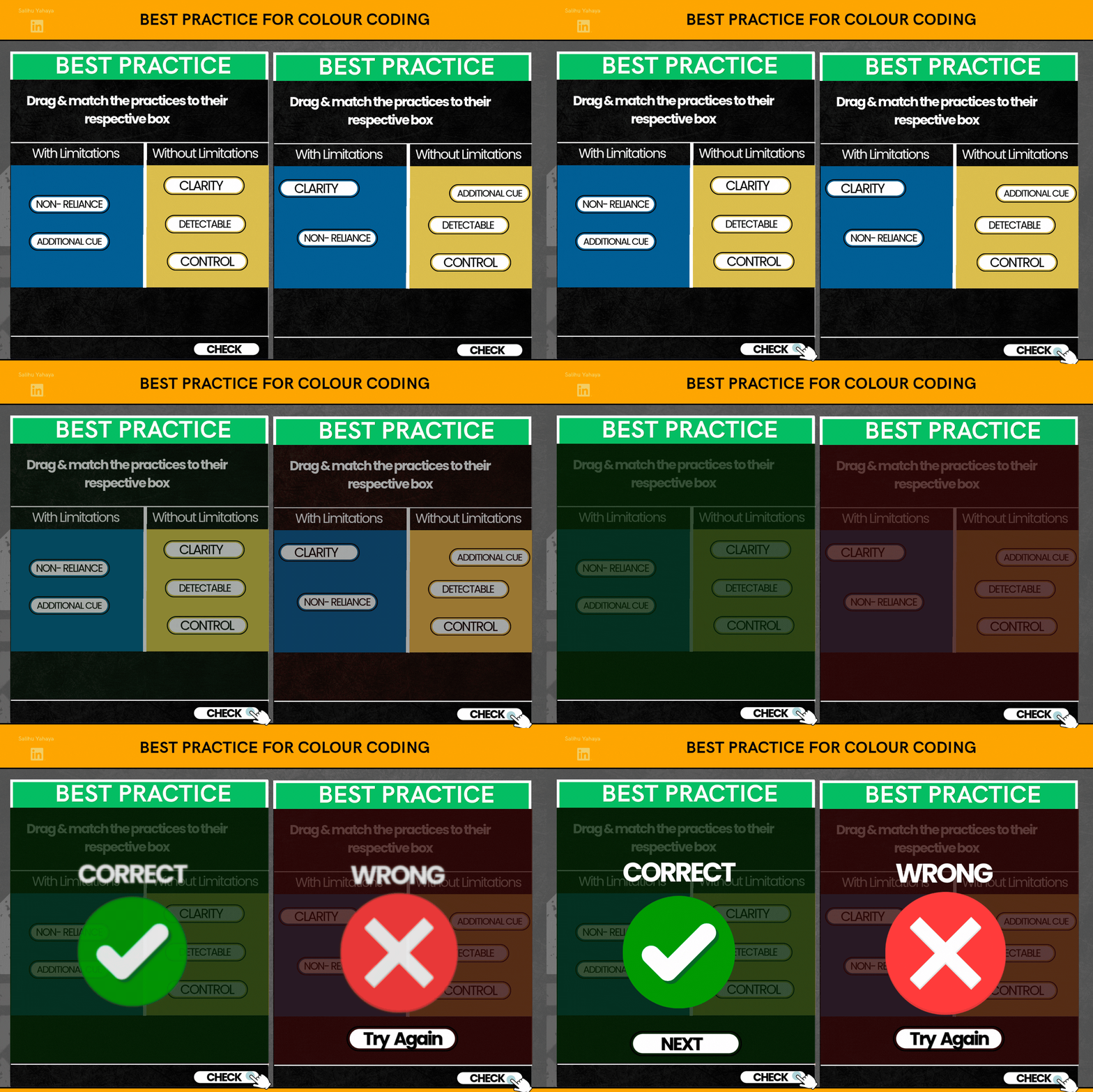
The colour is still there, but it is no longer carrying the meaning by itself.
An addition of aShape, Icon, Text, Pattern, Position, or Sound perhaps other perceptible cuescan really go a long way in making the learning experience accessible for all types of learners regardless of senses disability type.
And So rather than color alone equating to a meaning
Color Alone → Meaning
Colour and one or more redundant cue are used together to communicate a meaning
Color + Redundant Cue → Meaning
This preserves our intended:
Perception → Interpretationpathway for more learners.
👂 Sound
The same principle applies when information is delivered through audio.
For learners with limitations in audition, provide another way to access the same information.
But let me demonstrate,
So imagine you’re going through a training on what instructional design is about and you get to a slide where, you can see an icon that tells you i am speaking but can’t hear what im saying.
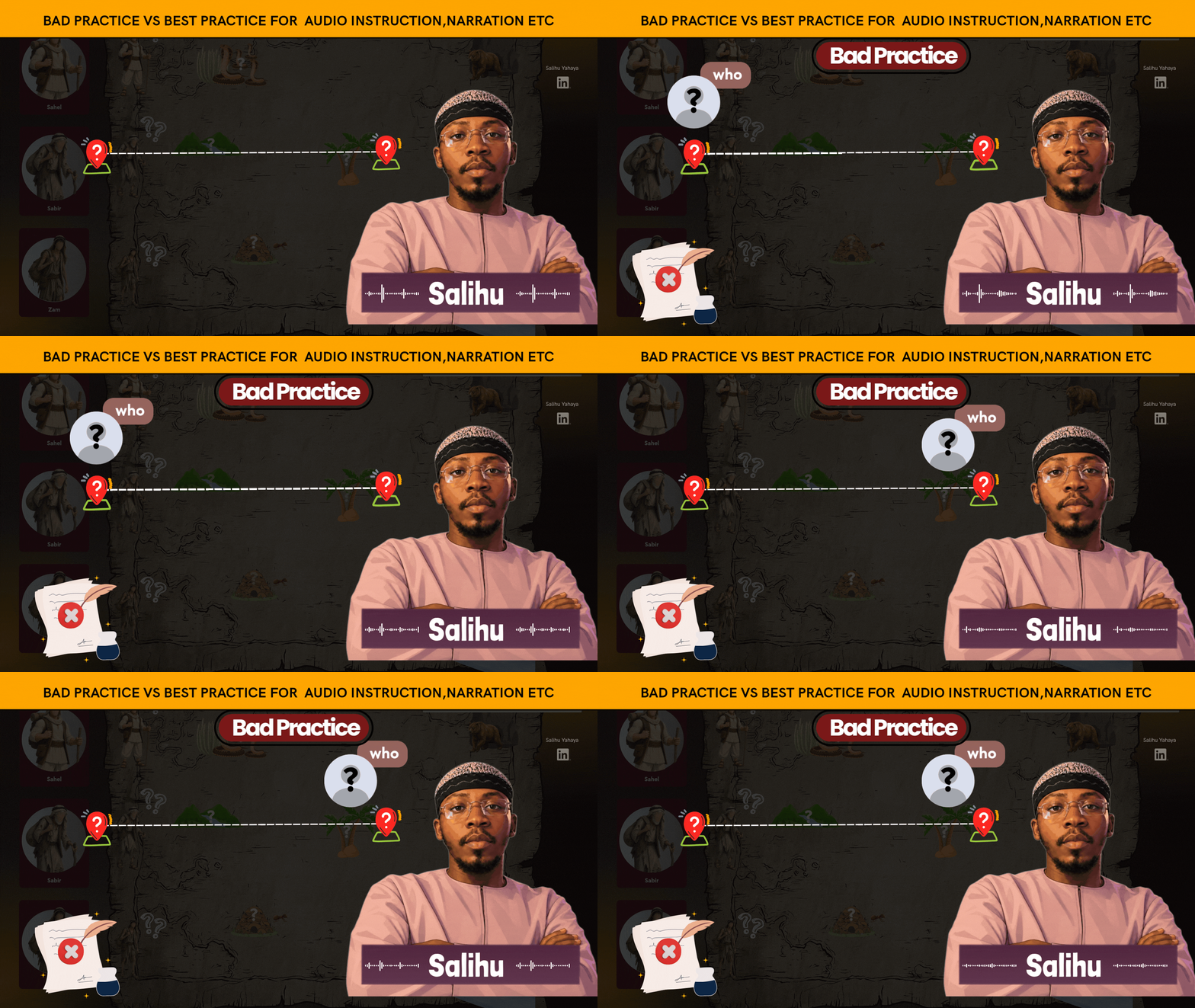
Now think about how not considered a learner with disability would feel that they’ve eventually been signed out from learning by an instructional designer who didn’t consider people like them when designing the learning experience.
On the flip side…
Just observe how much difference giving Audio instruction and using Captions, Transcript, Visual cues will make (caveat: because this is a gif, i did't have the luxury to use captions, i say this because it's bad practice that leads to cognitive load when you pass one message through double streams e.g adding audio naration and text all saying the same thing, the learner will struggle to align both at a pace he'd loose focus on the main thing... "assimilation" )
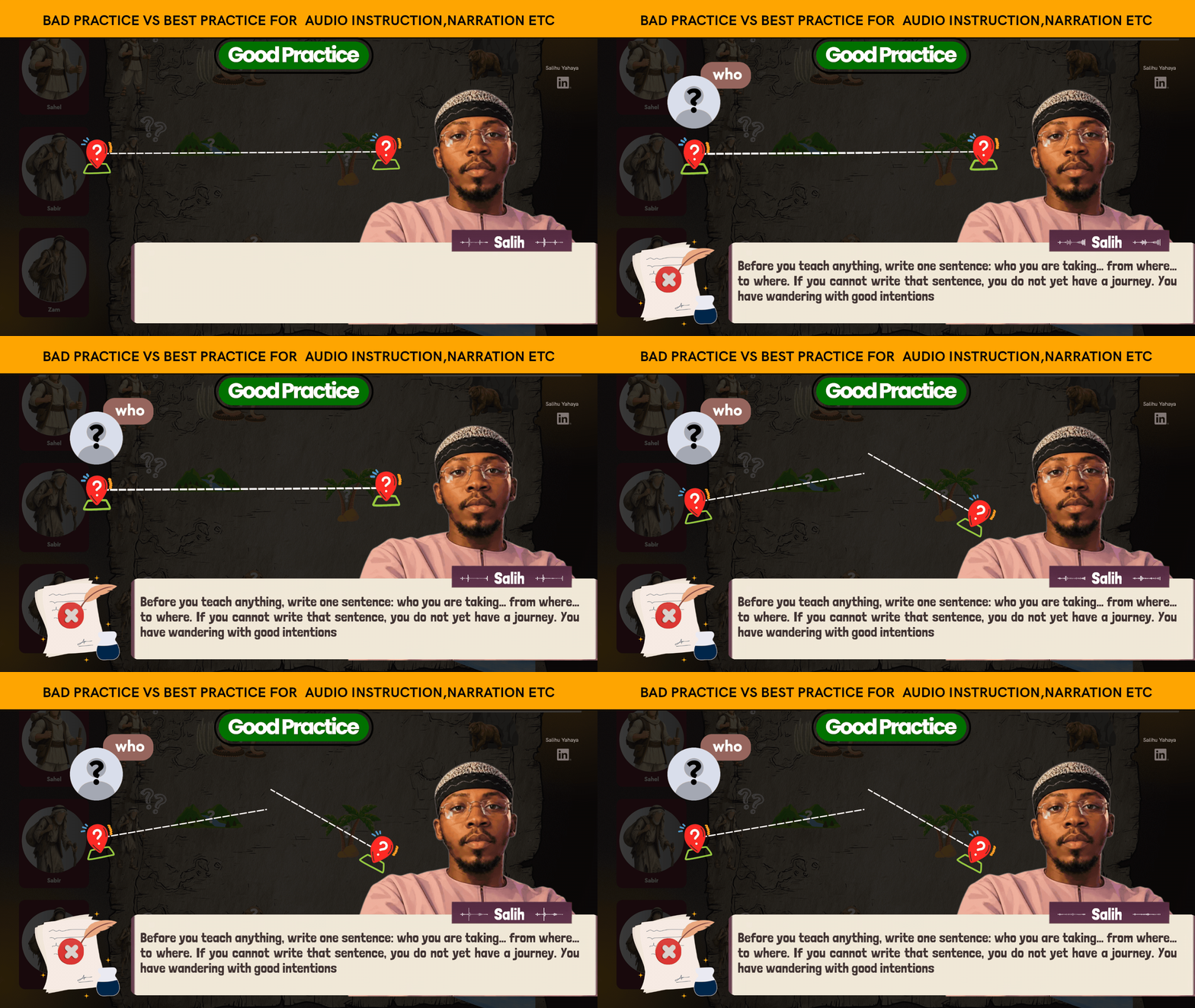
Now of course, this was too fast but it’s because it’s a gif and there isn’t much control and also my goal was to only demonstrate the difference in using alternative cues not relying on one sensory channel by bringing another sensory channel into the picture really goes a long way in making the learning experience of our learners effective regardless of sense disability type
I tried my best to bring the most use cases i can to life, here are a few.
For Colour coding → Use text labels or symbols
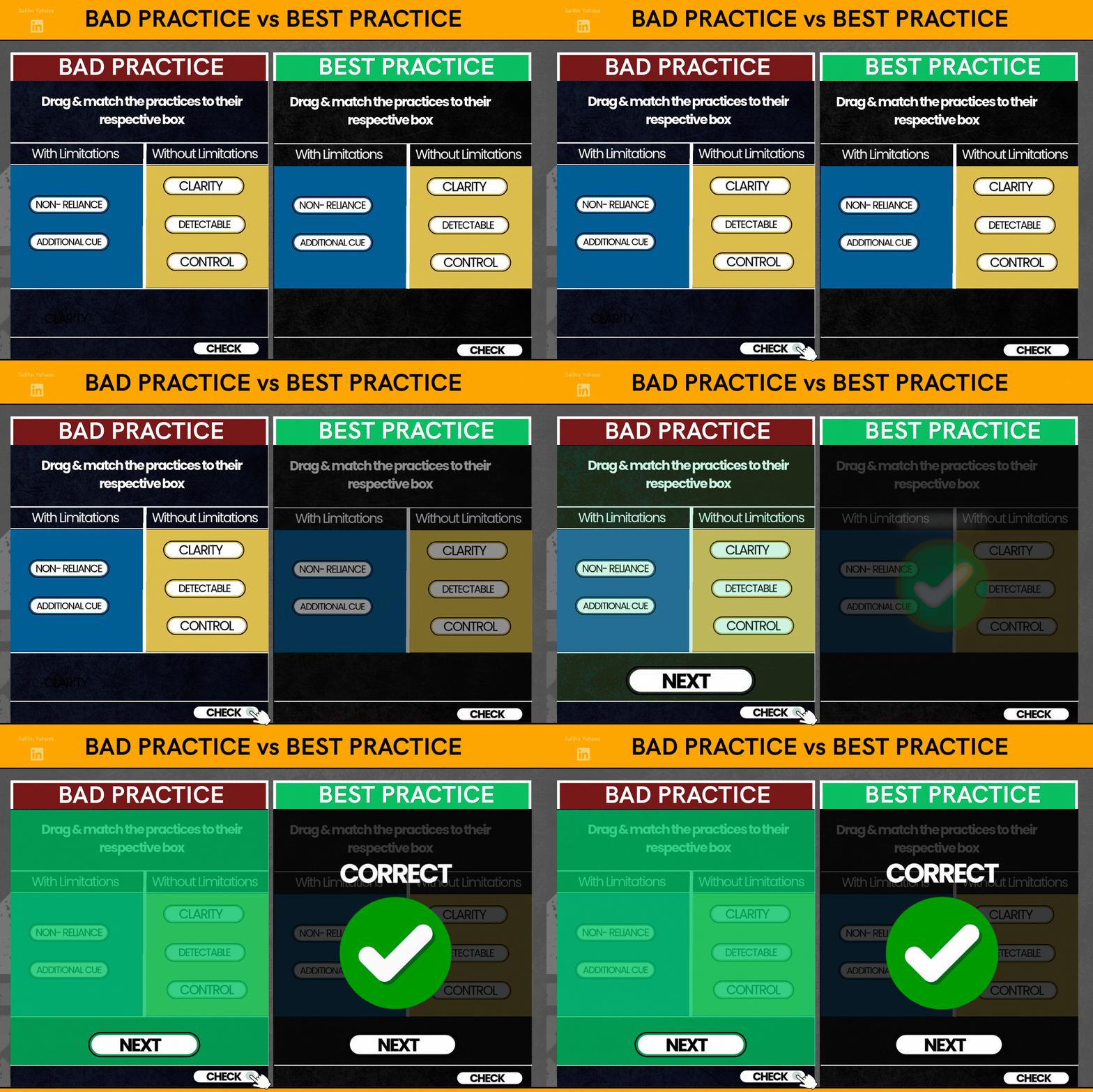
For Images → Use alt text

For Visual charts → Use accessible data/table or description
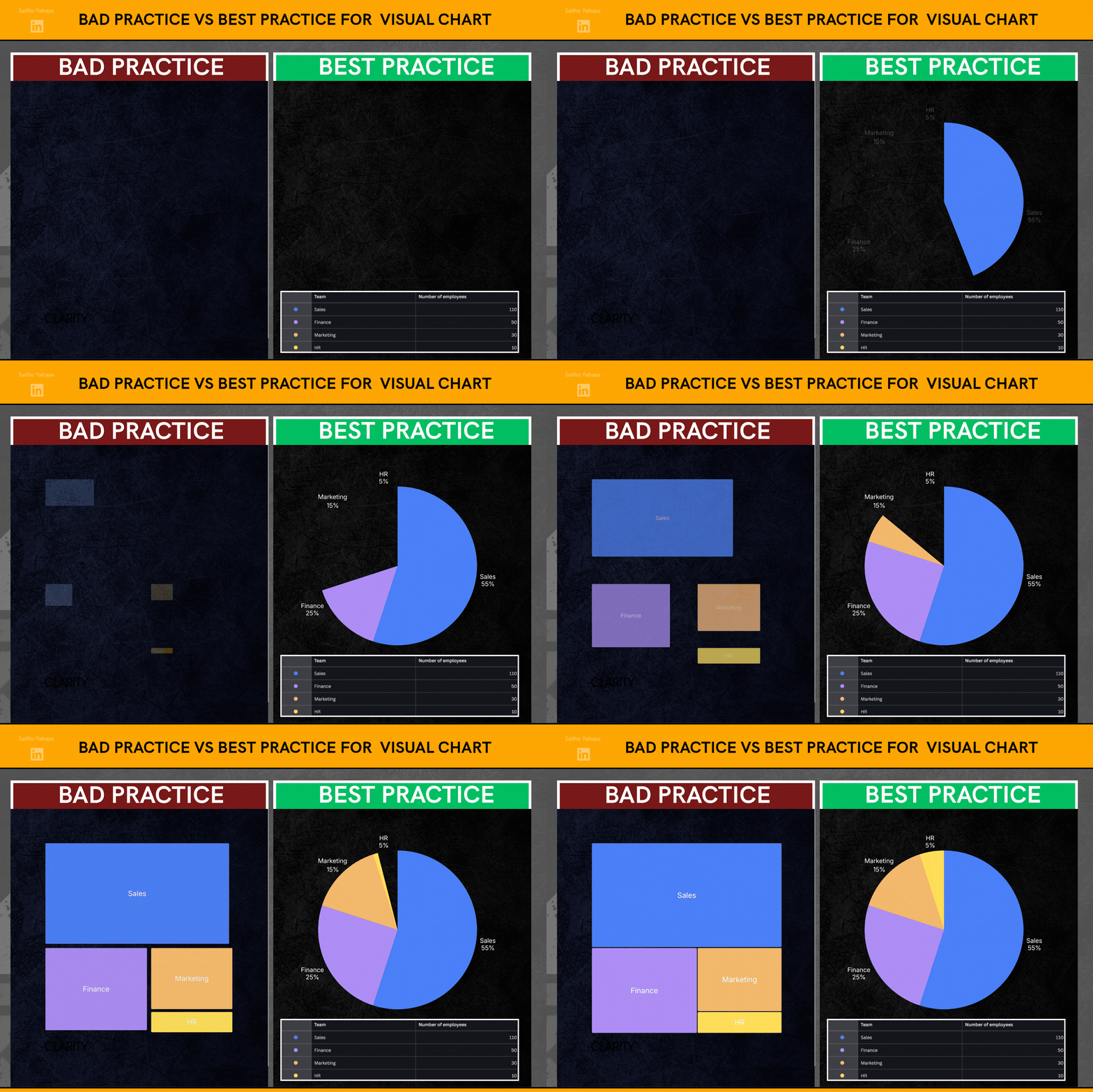
For Visual text → screen-reader-accessible text (didn’t how to bring this to life but yeah).
The underlying principle here is:
Don’t only make information perceivable through one mechanism; provide an alternative pathway to the same information.
Here are two tables i put together for any instructional designer designing learning experience for the sight and sound senses, please feel free to add more if you have one or more that i’ve missed, thank you.
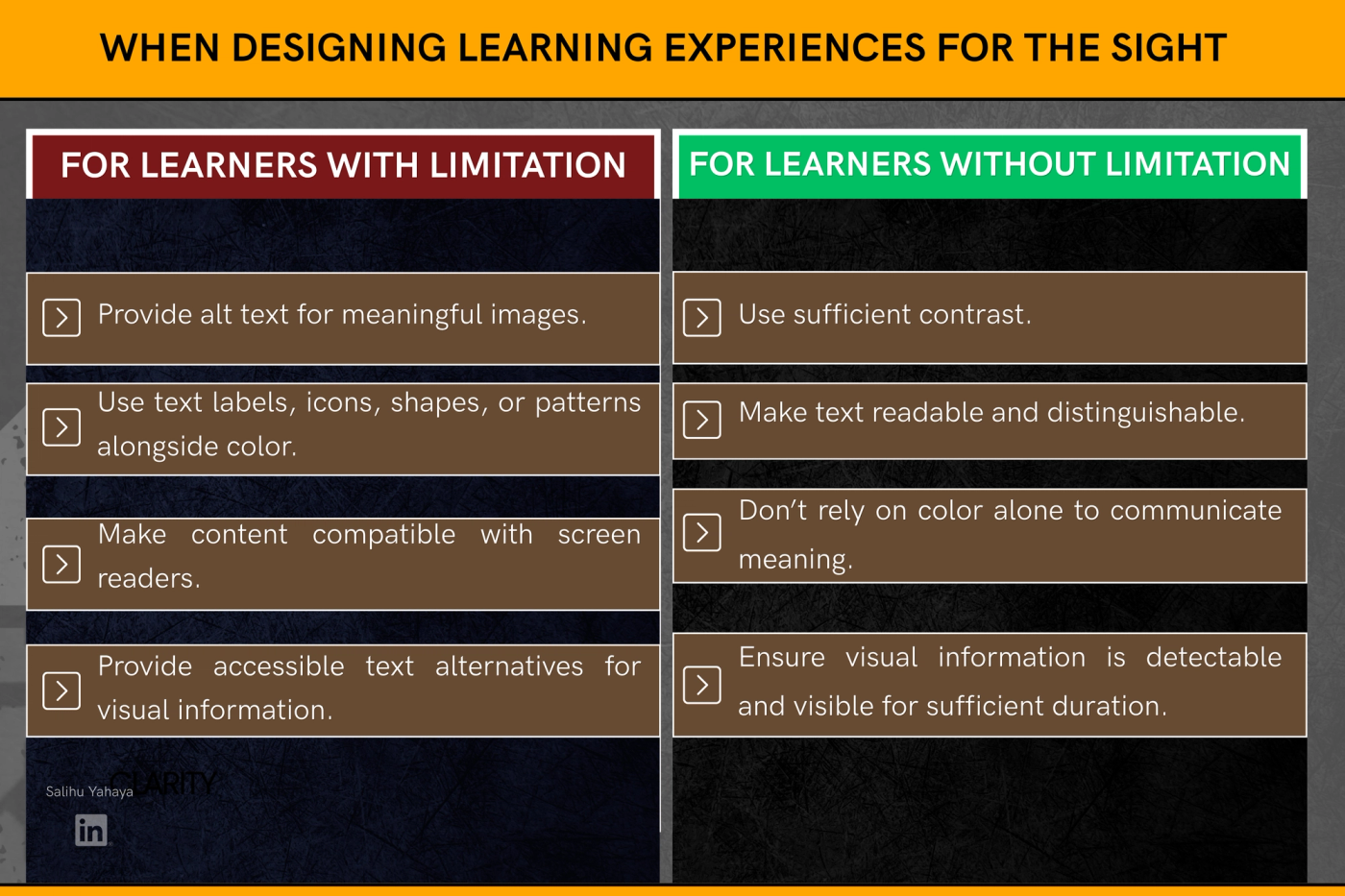
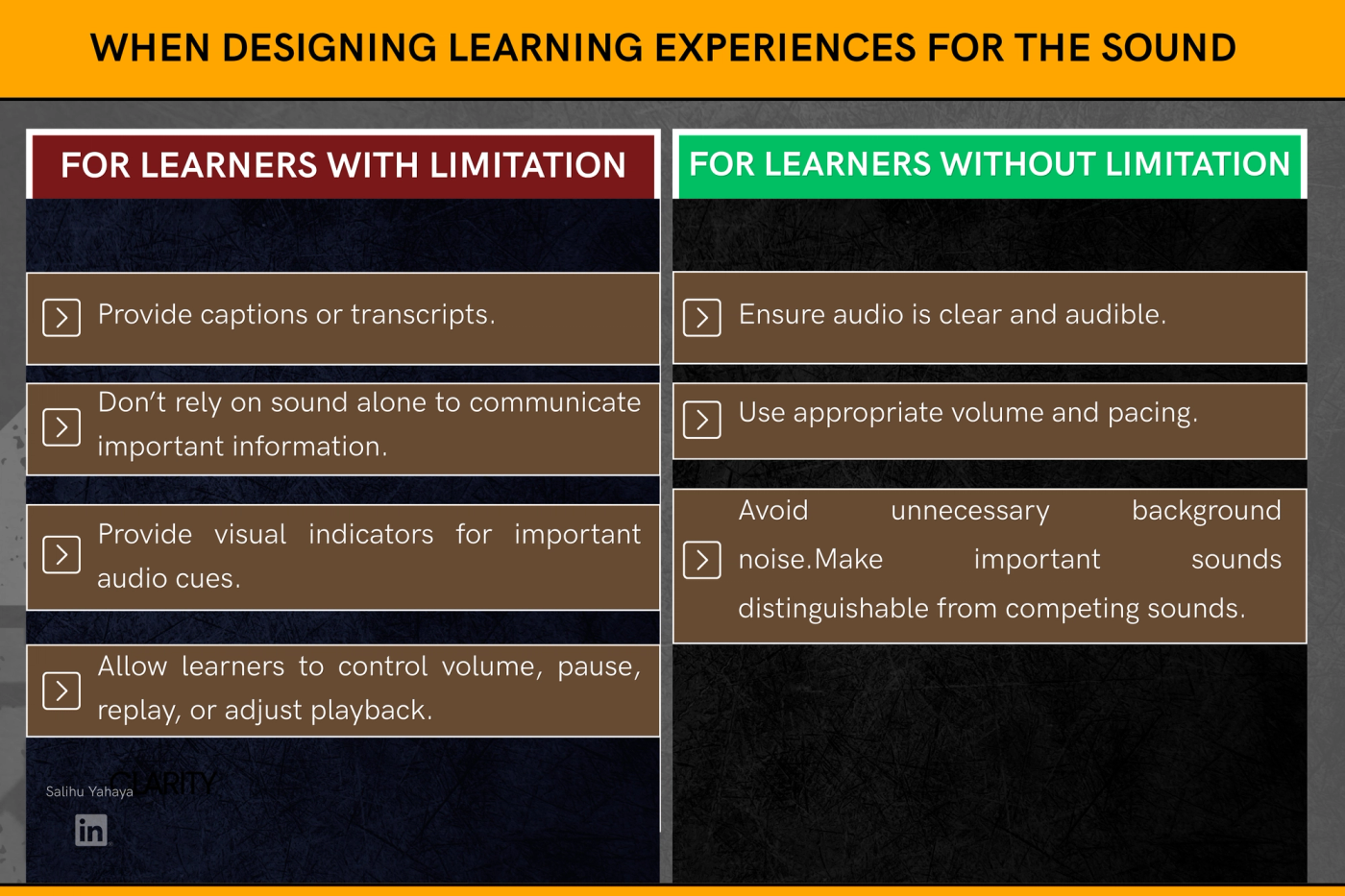
And this is where I found a simple way to remember it.
Accessibility Practices for those Without Limitations
In a nutshell, whatever applies to sight also applies to sound. And so were looking at 3 things when designing without limitations, and that’ll be clarity of information regardless of channel type, duration to ease perception stress and control to grant our learners more control over perception.
Clarity → Duration → Control (CDC)
👁️Sight→ readable, distinguishable, enough time, user control
👂Sound→ clear, distinguishable, enough time, user control
Secondly when designing for people with limitations, i think it boils down to two things, making sure we don’t rely on a singe sensory channel for perception and we can only do that by adding redundant cues to each sensory channel to make it accessible for learners with limitation of that sensory channel
Accessibility Practices for those With Limitations
NRAC
Non-Reliance on one sensory channel by bringing another sensory channel into the picture.
Sight ↔ Sound
Visual information →call on the ear through audio, e.g. screen readers.
Audio information →call on the eye through captions, transcripts, or visual cues.
And when colour is being used to communicate meaning it should be paired with either one or more of the following redundant cues to communicate meaning;
Color + text / icon / shape / sound / pattern → Meaning

So, for me, the principle underneath Quinn Seed 2 is becoming:
When one sensory channel becomes limited, use another channel to carry the information.
And therefore
Without limitations → strengthen the primary sensory pathway using “CDC”
With limitations → provide another pathway to the same information using “NRAC”
And so while Quinn Seed 1 is askingIf our learners candetect or perceive the information?
Quinn Seed 2 is asking
What if they can't access it through that sensory pathway?
Making Accessibility the bridge that closes the that sensory gap.

Day 40 of Instructional Design
#InstructionalDesign #InstructionalDesigner #LearningAndDevelopment #LearningDesign #LearningExperienceDesign #LXD #Elearning #ELearningDesign #CurriculumDesign #CurriculumDeveloper #LearningJourney #Day1 #Day2 #LearningInPublic #BuildInPublic #SenseMakingNotes #MentalModels #TAWIQM #QuinnSeeds
In case you missed the Quinn Seed articles 👇
Quinn Seed #1- CLICK ME
Where this comes from
- Learning Science by Clark Quinn — If you design learning, teach, or train people, you need to understand what is actually happening when someone learns. Learning happens at the neural level, but we design for it at the cognitive level. There’s a lot more in Clark Quinn’s book that I can’t share because of **intellectual property**. Get the book and experience the learning yourself. 📚You Would Love It!
- To Learn More Join the "Learning Development Accelerator" — Click the link to join the Amazing Learning Development Accelerator Group Where practice meets evidence
- Join The Conversation On Linkedin — **Enjoyed the blog?** The conversation doesn’t have to end here. Join me on LinkedIn, share your thoughts, challenge an idea, or repost it to help the conversation reach more people. **Let’s learn in public. Let’s make the ideas travel.**